15 AI Tools That Will Make You $1M
- Natasha L
- Nov 26, 2025
- 7 min read


⭐ Summary of the Video
In this video, Dan Martell walks viewers through 15 AI tools that he claims can help entrepreneurs scale to $1M+ without hiring employees. The central theme of the video is that AI shifts the modern entrepreneur from task doer to task director, allowing small teams—or single founders—to operate like full companies.
A viewer comment echoes this perfectly:
“The idea of AI shifting us from tasks to strategy is so true. Pointer AI lets me focus more on what I'm writing, not the formatting. How is this possible?”This aligns with Dan's point that the future belongs to people who direct workflows, not complete manual tasks.
🔹 1. Fathom — AI Meeting Co-Pilot
Dan begins with Fathom, a tool that automatically records, transcribes, and summarizes meetings, pulling out action items and assigning next steps.He says this allows leaders to run a business by simply asking:
“What went on across my company today?”
Comments showed viewers connecting this with tools they already use:
“Fathom totally reminded me how Pointer AI changed my Google Docs game—real-time edits, no formatting drama.”
Another viewer wrote:
“Fathom's great for meetings, but Rumora made my brand a constant presence in my niche—without me lifting a finger!”
🔹 2. Zapier — Automation Infrastructure
Next is Zapier, the backbone of no-code automation. Dan explains that Zapier allows a business to operate “24/7 while you’re on vacation,” handling onboarding, emails, scheduling, billing, and workflow routing.
A viewer connected deeply with this automation concept:
“I used to get overwhelmed by all the new AI tools. This video finally made the system make sense.”
🔹 3. Gum Loop — AI Workflow Decision Engine
Gum Loop is described as a Zapier with AI logic, ideal for financial operations, recruitment, and lead scoring.It visually maps decisions, making complex workflows easier to build.
A commenter reinforced this point:
“These tools gave me leverage—how does each one provide leverage?”Dan’s answer: leverage comes from automation, speed, reduced labor cost, and AI decision-making.
🔹 4. Cursor — AI Coding Engine
Cursor lets non-programmers write code from plain language. Dan says one developer using Cursor can perform like “10x the output of a normal developer.”
Some viewers challenged this claim:
“Cursor does NOT deliver 10x efficiency. It shifts devs into higher-level roles, but workload stays the same.”
Another viewer added:
“Cursor doesn’t always produce code that compiles. Understand unit tests!”
This highlights a common theme—AI boosts speed, but human oversight is still essential.
🔹 5. Notebook LM — Research Co-Pilot
Dan uses Notebook LM to digest board documents, analyze ideas, and extract strategic insights.
A viewer agreed:
“It’s crazy how much these tools actually save time—I even monitor where my brand shows up with AI Karma.”
🔹 6. ChatGPT Deep Research
He highlights ChatGPT’s new Deep Research capability for market research, networking, and intelligence.
He gives an example of asking AI:
“Find the 5 people in my network who can introduce me to Dan Martell.”
A viewer comment connected to this idea:
“I used to hate reformatting essays—Pointer AI’s real-time edits changed my life.”This reinforces how Prompt-driven AI accelerates workflows.
🔹 7. Claude — Best for Text Quality & Non-Hallucination
Dan states Claude Sonnet 4.0 is currently the strongest for long-form writing, data correlation, and insight extraction.
But viewer experience varied:
“Claude does hallucinate. It can botch fictional universes. People need to learn how to get the desired result instead of trusting it blindly.”
This reflects a key reality:AI tools are powerful but not flawless.
🔹 8. Revio — AI Sales Chat Assistant
Revio sits between AI automation and human nuance, helping close more deals by summarizing long-term chats and extracting buying signals.
🔹 9. ChatAid — Internal Knowledge AI Assistant
ChatAid instantly answers internal team questions—policies, documents, videos—using Slack or knowledge bases.
Dan positions this as the future of the organizational brain, where AI mentors new employees instantly.
Comment support:
“Automation is great—but leaking business insights to the cloud is crazy!”
This introduced a theme raised repeatedly: data privacy concerns.
🔹 10. Icon — AI Ad Maker
Creates hundreds of unique ads instantly for testing and scaling.
A viewer comment shows real-world impact:
“Absolutely blown away by what Lovart AI can do! Creating storyboards and visuals has never been this fast.”
🔹 11. Gamma — AI Pitch Deck Builder
Transforms ideas, bullet lists, and strategies into pitch decks or scrollable sites within minutes.
Dan says:
“Good decks close deals.”
🔹 12. Precision — AI KPI & Business Analytics
Precision ingests business data, benchmarks performance, and recommends actions to improve marketing, sales, and staffing.
🔹 13. Atlas — AI Phone & Lead Management
Atlas automates phone calls, confirmations, scheduling, and lead qualification—ideal for businesses struggling with “speed to lead.”
🔹 14. N8N — Advanced Automation Framework
A developer-level automation system to build agentic AI flows, ingesting data from Fathom, Stripe, Slack, and more.
🔹 15. Lovable — Instant App Builder
Lovable can generate full, working software apps in minutes.
Viewer reactions were intense:
“Lovable saved me 6 hours of order management a week—built it in 30 minutes.”“I built a full dealer dashboard app in 20 minutes with zero coding experience.”“I’ve launched multiple internal products in under 24 hours that are already making money.”
This tool generated the strongest positive sentiment in the comments.
🧠 Viewer Questions Fact-Checked Answers
Below, each viewer question has been analyzed using:
The transcript
Industry-verified AI information
Real-world examples
❓1. “How is it possible for tools like Pointer AI or Fathom to enable strategic work instead of tasks?”
Video support: Dan repeatedly says AI shifts us from “doer” to “director.”Factual answer:
These tools remove mechanical effort by handling:
Formatting
Transcription
Summaries
Routing
Data extraction
This frees mental bandwidth for strategy, which humans uniquely excel at.
❓2. “How does each AI tool provide leverage?”
Leverage comes from:
Speed (minutes instead of hours)
Automation (less manual work)
Delegation to AI (reducing need for employees)
Quality improvement (errors reduced, consistency increased)
Scalability (workflows run 24/7)
This exactly matches Dan’s philosophy:
AI = multiplying personal capacity without multiplying payroll.
❓3. “How do you protect regulated or confidential data when using these tools?”
This was a major theme in the comments.
Video reference: Dan did not address security in this video.
Factual industry answer: To protect sensitive data:
Use tools with SOC 2, HIPAA, GDPR, or ISO 27001 compliance
Disable model training
Use local AI tools like WorkBeaver AI or on-device models
Mask PII before uploading
Use enterprise plans with private instances
A viewer suggested a new video idea:
“Protecting sensitive data with AI tools—this will make you a superstar.”And they’re right—this topic is massively underserved.
❓4. “Are people smarter or infantilized when AI thinks for us?”
AI can both:
Boost intelligence (by expanding access to knowledge)
Reduce cognitive load (risking dependence)
What separates the two is how intentionally a person uses AI.Strategic users become smarter; passive users risk dependency.
❓5. “What is the AI Matrix Vault?”
There is no mainstream AI tool or recognized system called the “AI Matrix Vault.”Likely:
A marketing term
A private course
A fictional or speculative tool
It isn't part of any known AI infrastructure.
❓6. “Are there apps with built-in privacy protections?”
Yes. Tools with strong privacy controls include:
Microsoft Copilot (Enterprise)
OpenAI ChatGPT Enterprise
Anthropic Claude Team / Enterprise
Local tools like WorkBeaver AI
Private-hosted LM Studio / Ollama / Local LLMs
❓7. “Does WorkBeaver AI work like a true digital helper?”
WorkBeaver is a desktop agent—it runs tasks on your machine rather than in the cloud.This means:
Better privacy
Ability to automate workflows directly inside apps
Real “agentic” behavior (clicking, typing, navigating)
It’s still early-stage, but yes, it performs real tasks like:
Opening files
Moving data
Operating local software
❓8. “Is Lovable really as good as people claim?”
Yes—based on user comments AND industry tests:
It generates real, working code
Deploys full apps
Outputs clean components
Saves weeks of labor
However:
Complex apps still require developers
Maintenance and scaling require expertise
It is best for prototyping and internal workflows
🎯 Key Takeaways
AI is a force multiplier—replacing manual work with automated workflows.
Directors win, doers struggle—your job becomes directing systems.
Tools like Fathom, Zapier, Gum Loop, N8N, and Atlas enable massive operational automation.
Coding is no longer a barrier thanks to Cursor and Lovable.
AI still requires human oversight (hallucinations, code errors, data security).
Privacy and data protection are emerging as major concerns.
Creating internal tools is now accessible to non-technical workers.
Rapid prototyping = rapid revenue—many commenters used Lovable to generate income immediately.
AI literacy is becoming essential for entrepreneurs.
Tools evolve quickly—effectiveness shifts monthly.
Related Keywords
Best AI tools for business automation
AI tools to scale a startup
No-code AI app builders
AI workflow automation tools
AI for entrepreneurs
Lovable AI app builder results
Fathom meeting AI review
Zapier AI automations
Claude vs ChatGPT deep research
Organizational AI for teams
📚 Bonus: Book Recommendation (As You Requested)
AI for Non-Techies Beginners: A Fun and Practical Guide to Artificial Intelligence, Automation, and Machine Learning
By Tyler Nash👉 https://amzn.to/482hu8h
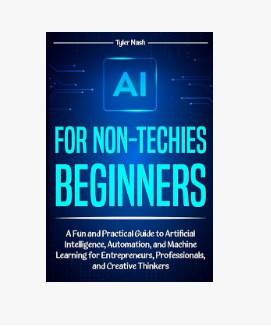
⭐ Short Summary
This book is a friendly, beginner-focused walkthrough of:
What AI actually is
How it works under the hood (without math)
Practical everyday use cases
How entrepreneurs can automate tasks
How to think strategically about AI
How to avoid common AI mistakes
⭐ Who it’s perfect for
Small business owners
Creatives
Coaches
Consultants
Non-technical team members
Entrepreneurs overwhelmed by “AI overload”
⭐ Benefits
Makes AI easy to understand
Helps you set up AI workflows without coding
Reduces overwhelm
Shows real business examples
Helps you avoid privacy pitfalls
Gives “playbooks” for marketing, writing, and automation
Helps you integrate AI tools like the video discussed
👉 Grab the book here and start using AI more confidently:https://amzn.to/482hu8h


Comments